CSGO Clicker takes the most addictive part of Counter-Strike — the case opening — and builds an entire clicker around it. You click a box to earn virtual cash, spend that cash on cases, and hope the next one coughs up a Karambit or a Dragon Lore instead of another common skin. Underneath the gambling thrill there is a real progression system: skill stats to level, an auto-clicker to unlock, and an inventory whose market value slowly climbs from junk pistol skins toward an elite loadout. No real money changes hands, which is exactly why it is so easy to keep opening one more case.
What Is CSGO Clicker?
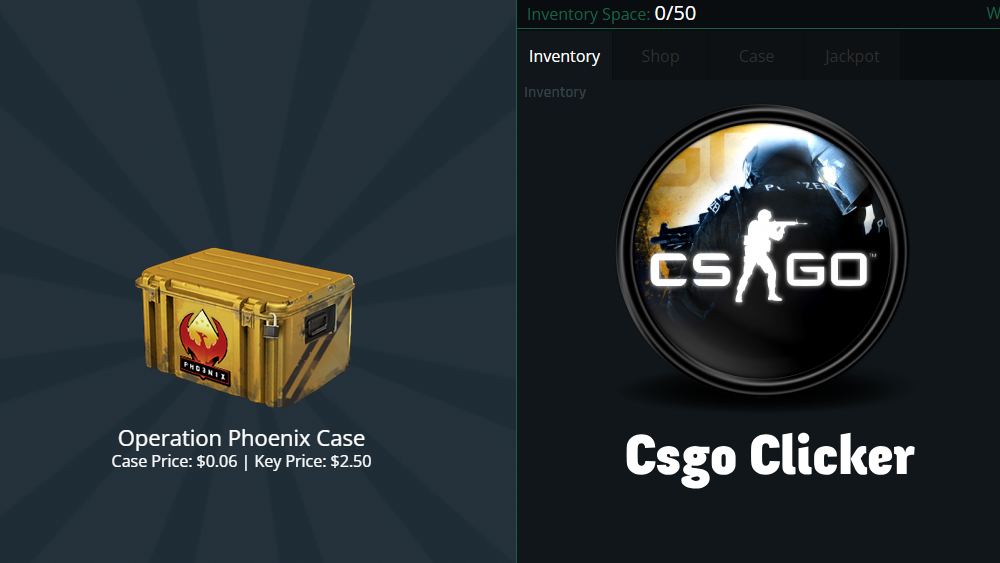
CSGO Clicker is a free browser case-opening simulator wrapped in a clicker economy. Where Counter-Strike makes you buy keys with real money, this game hands you the whole loop for free: clicking the central box simulates the grind of earning rewards in-game, and everything you earn goes back into cases, skills, and inventory value.
What sets it apart from a standard clicker game is that your progression lives in three places at once. There is the cash number that goes up as you click. There is the skill tree, where stats like Aiming and Reaction Time make every future click worth more. And there is the inventory — a growing collection of knives, gloves, and weapon skins, each with a live virtual market value, that acts as your real score. Cases from fan favorites like the Chroma Case to the Gamma Case each have their own pool of possible drops, and the rare pulls are the moments the whole game is built around.
Mini-games round it out, breaking up the clicking with big bonus payouts and occasional rare item drops. The game was originally built for PC, but the browser version here is fully responsive and plays well on phones and tablets, with no downloads or sign-ups.
How to Play CSGO Clicker
Left click is your entire toolkit. Click the central box to generate cash — early on, this is your only income. Use the sidebar to move between the three main screens: the Clicker, the Shop, and your Skill Tree.
From there, the loop opens up:
- Earn cash by clicking the box. Every click adds to your balance, and your skill stats multiply what each click is worth.
- Buy cases in the shop. From the Chroma Case to the Gamma Case, each has its own pool of possible drops. Better cases carry a shot at rare skins and powerful upgrades.
- Level your skills. Spend points on stats like Aiming and Reaction Time. Higher stats mean bigger rewards per click and faster overall progression.
- Manage your inventory. Browse your collected knives and guns to see their virtual market value, and sell what you do not need.
- Play the mini-games. They break up the clicking and pay out massive bonuses, sometimes including rare item drops.
Your first-session goals: build enough cash for your opening cases, put early points into skills, and unlock the auto-clicker so income keeps flowing while you browse the shop.
Controls
- Left click — earns cash on the central box and handles every menu, case opening, and purchase.
- Tap — the mobile equivalent; the responsive layout keeps the sidebar and shop usable on a phone screen.
- Sidebar — one click switches you between the Clicker, Shop, and Skill Tree screens.
CSGO Clicker Strategy Guide
Early Game
The first stretch is raw clicking, and your two priorities are the auto-clicker and the Reaction Time stat. The auto-clicker is a legitimate in-game upgrade bought with virtual cash, and it is the single most important early purchase — it generates cash passively, which frees your attention for case openings instead of raw tapping. Reaction Time tends to give the best multiplier on your cash per click, so points spent there compound into everything else you buy.
Resist opening cheap cases just because you can afford them. The early game feels slow, but a few disciplined minutes of clicking and skill investment beat a drawer full of common skins. Set yourself a simple rule for the first stretch: no case purchases until the auto-clicker is running. It keeps your cash pointed at the multipliers that make every later case cheaper in real terms.
Mid Game
Once passive income is running and your stats are leveled, the game becomes an economy puzzle. The core mid-game skill is case selection: saving for the best cases — the ones with higher drop rates for Knives and Covert (Red) skins — is where the value is. Meanwhile, keep your inventory lean. Common skins clutter it and tie up value; selling them is often exactly the capital you need for that Omega Case you have been eyeing.
Mini-games earn their place here as income spikes. A big bonus payout at the right moment can jump you a whole case tier ahead of pure clicking, so treat them as part of the rotation rather than a distraction.
Late Game
The late game is a collection hunt. Your cash engine — auto-clicker plus maxed skill multipliers — mostly runs itself, and the question becomes which rare drops are still missing from the inventory. Knives and Gloves anchor the top of the value table, so late-game sessions revolve around opening the premium cases that can drop them, funded by selling off mid-tier pulls. There is no prestige reset; your inventory’s total market value is the long-term score, and pushing it from a junk-pistol collection to an elite loadout is the endgame.
Upgrades & Progression
Progression in CSGO Clicker runs on four systems that feed each other:
| System | What it does | Why it matters |
|---|---|---|
| Skill Tree (Aiming, Reaction Time) | Multiplies the cash each click earns | Reaction Time compounds into every purchase you make |
| Auto-clicker | Generates cash passively once bought | Turns dead time into income; the key early unlock |
| Cases (Chroma, Gamma, Omega, more) | Each has its own drop pool of skins and upgrades | Better cases carry Knife and Covert (Red) odds |
| Inventory | Holds knives, gloves, and skins with live market values | Your real score — and a bank you can sell from |
The rhythm is simple: skills raise click income, click income buys cases, cases fill the inventory, and inventory sales fund bigger cases. Some case drops include powerful upgrades and skill boosters too, so opening cases can feed directly back into your earning rate rather than just your collection.
The classic clicker payback question applies to every purchase here: how long until this pays for itself? A skill point that raises your cash per click pays back on a timer you control — the more you click, the faster it repays. A case is a lottery ticket against a drop pool. That is why the reliable order is skills and auto-clicker first, cases second: build the engine before you start gambling its output. Once your per-click and passive income are strong, even a run of bad case luck costs you minutes rather than your whole bankroll, and a good pull is pure profit on top of an economy that was already working.
Features
- Case-opening simulator covering fan-favorite cases like Chroma, Gamma, and Omega
- Collectible inventory of knives, gloves, and weapon skins with live market values
- Skill tree with stats like Aiming and Reaction Time that boost your earnings
- Purchasable in-game auto-clicker for passive cash
- Mini-games with large bonus payouts and rare drops
- Simple left-click controls with a clean sidebar for Shop and Skill Tree navigation
- Free to play in the browser, unblocked, with no downloads or sign-ups
Tips & Tricks
- Buy the auto-clicker upgrade early. Passive cash while you browse the shop is the biggest quality-of-life and income jump in the game.
- Level Reaction Time before other stats. It tends to give the best multiplier on cash per click, so it compounds into every case you ever buy.
- Skip the cheap cases. Saving for cases with higher Knife and Covert (Red) drop rates is where the value is. Cheap cases mostly print commons.
- Sell your commons. They clutter the inventory and tie up value. Liquidating them is often exactly the capital you need for the next premium case.
- Use the mini-games as income spikes. A big payout at the right moment can jump you a whole case tier ahead of pure clicking.
- Decide what you’re collecting for. Chasing inventory value points you at Knife and Glove cases; chasing progression points you at cases with skill boosters. Picking one goal at a time keeps your cash efficient.
- Keep clicking during downtime. The auto-clicker never replaces you entirely — manual clicks stack on top, so idle moments at the screen are still worth taps.
Games Like CSGO Clicker
- Crusher Clicker — trades case openings for a hydraulic press, with the same click-earn-upgrade engine underneath.
- Money Clicker — the pure cash-printing version of this loop, all income and upgrades with no RNG.
- Crypto Clicker — another virtual-economy clicker where the fun is watching a portfolio number climb.
- Minecraft Clicker — a different gaming universe wrapped around the same tap-collect-upgrade progression.
If gambling-free case luck is your favorite part, browse the hot clicker games list for more collection-driven picks.
FAQ
Is CSGO Clicker free to play?
Yes, completely. No real money changes hands anywhere in the game — cases, skins, and upgrades are all bought with cash you earn by clicking.
What is the best case to open?
It depends on your goal. For pure inventory value, target cases containing rare Knives or Gloves. If you want faster progression instead, pick cases that unlock skill boosters and put the rewards straight back into your stats.
Are auto-clickers allowed?
The auto-clicker in CSGO Clicker is a legitimate in-game upgrade you buy with virtual cash — it is part of the intended progression. External auto-click software is not necessary, and honestly it drains the fun out of building up your economy.
Can I play CSGO Clicker on mobile?
Yes. The game was originally built for PC, but the browser version here is fully responsive and plays well on phones and tablets.
Is CSGO Clicker unblocked?
Yes. The version on clickergames.io runs in the browser and works on school and work networks, so you can open cases anywhere without downloads.
Does my progress save?
Like most browser clickers, progress saves in your browser on this device. Use the same device and browser between sessions, and avoid clearing site data if you want to keep your inventory.