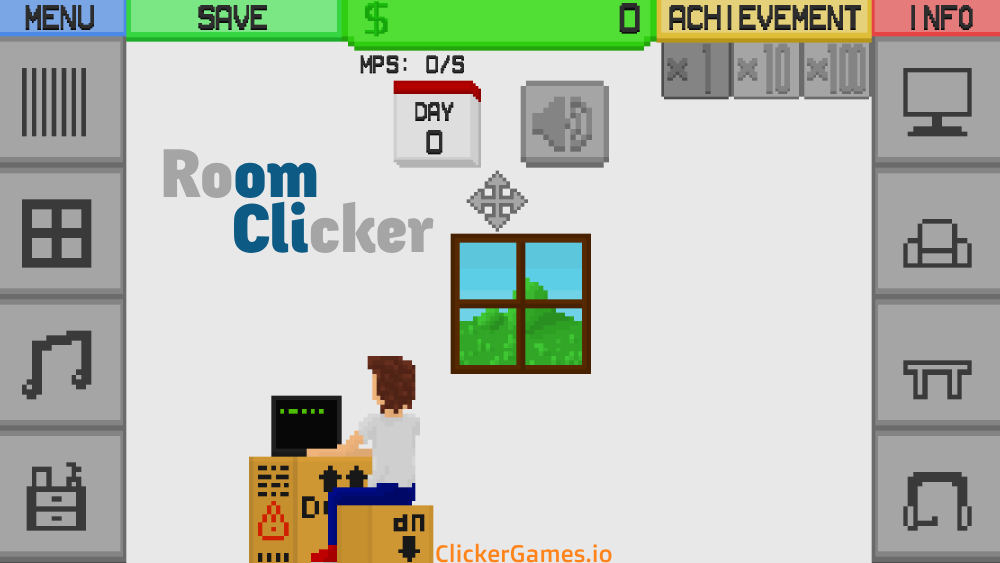
Room Clicker is a free idle game with one of the most satisfying progression hooks in the genre: you can actually see it. Click anywhere in a bare room to earn cash, then spend that cash on furniture and electronics that generate money on their own. Every purchase physically appears in the room, so your progress isn’t just a bigger number on a counter — it’s an empty floor slowly turning into a fully furnished space with a high-end PC, a massive TV, and a luxury sofa. The core loop is the classic clicker formula, but the payoff is decorating, and that combination keeps people playing far longer than the simple mechanics suggest. It runs entirely in your browser, saves automatically, and works just as well in a five-minute break as it does in an hour-long grind toward your next big purchase.
What Is Room Clicker?
Room Clicker was developed by MinimunStudios and released on Newgrounds in December 2018, and it’s been a staple of the clicker category ever since. The premise is disarmingly simple: you start with an empty room and a cursor, and everything you’ll ever own has to be clicked into existence.
What makes it distinct from most idle games is the visual feedback loop. In a typical clicker, buying a producer changes a line of text and a number. In Room Clicker, buying a table puts a table in your room. Buying a music player puts a music player on that table. By the time you’ve unlocked all 8 core objects — spanning electronics like computers and TVs, comfort items like chairs and sofas, and atmosphere pieces like windows and music systems — the screen you’re staring at looks nothing like the one you started with. There’s even a full day-and-night cycle rolling past your window, which gives long sessions a surprisingly cozy feel: you’re not just grinding numbers, you’re hanging out in a room you built.
Leveling up items unlocks new styles too, so the room isn’t just fuller over time — it’s customizable. Two players at the same income level can be sitting in rooms that look completely different.
How to Play Room Clicker
The controls take about three seconds to learn, and the first meaningful decision arrives inside the first minute.
Controls
- PC: Left mouse button — click the room to earn cash, click menus to buy and upgrade.
- Mobile: Tap the screen with your finger. Same game, same loop, no compromises.
Getting started looks like this:
- Click for your first coins. Clicking anywhere on the screen earns cash — this is your only income at the start, so tap away.
- Hit the shop. Buy items like windows, tables, and music players. Once placed, they generate passive income without any clicking on your part.
- Upgrade what you own. Don’t stop at buying an item — upgrading it raises its earnings-per-second, and leveling up also unlocks new styles so you can change how items look.
- Balance your spending. Some purchases boost your click power, others boost passive income. Splitting investment between the two is the core decision of the whole game.
Your early goal is straightforward: get enough passive income flowing that the game keeps earning when your finger rests. Once windows, tables, and a music player are in place and pumping out cash per second, the game shifts from tapping practice into a spending puzzle — and that’s where it gets good.
Room Clicker Strategy Guide
Early Game
The opening minutes are pure clicking, and your only real job is to escape them efficiently. Buy the cheapest passive items — windows, tables, music players — the moment you can afford them. Every second an item is placed and earning is a second your income compounds without effort. Resist the urge to save up for something flashy; a cheap item earning now beats an expensive item earning later, because the cheap item’s income helps pay for the expensive one.
A couple of click power purchases are worth it here too. Before automation exists, your finger is the entire economy, and making each click worth more shortens the whole opening phase.
Mid Game
Once passive income covers your basic purchases, the game becomes about ratios. Before buying anything, compare its cost against what it earns per second — this payback-time thinking is the engine of every good clicker run, and if you want the underlying math, the idle game math guide breaks it down properly. Items with the best price-to-earnings ratio compound fastest and get you toward trillionaire territory sooner.
This is also the phase where upgrading existing items usually beats buying new ones. A cheap upgrade to something you already own raises its earnings-per-second directly, and the compounding starts immediately. Work up the electronics ladder deliberately: the path from a basic laptop to a high-end PC and a massive TV is the game’s spine, and those upgrades are where the big money is.
Late Game
Room Clicker doesn’t use a prestige reset — your run just keeps growing, which honestly suits a game about building a home. Late game is about finishing the collection: maxing out all 8 core objects, unlocking the styles you like, and pushing your cash total into absurd territory. Passive income carries almost everything at this stage, but don’t abandon clicking entirely; click power purchases keep your active taps meaningful during the stretches when you’re actually at the screen. The endgame goal is part economic, part aesthetic — a room that earns a fortune and looks exactly how you want it.
Upgrades & Progression
Everything you buy in Room Clicker falls into a few clear roles, and understanding them makes your spending sharper:
| Item type | Examples | What it does |
|---|---|---|
| Atmosphere pieces | Windows, music systems | Cheap early passive income; gets the engine started |
| Furniture | Tables, chairs, sofas | Mid-cost passive earners; the luxury sofa is a landmark purchase |
| Electronics | Laptop, high-end PC, massive TV | The expensive spine of the game — biggest earnings jumps |
| Click power | Click upgrades | Multiplies what each manual click is worth |
Each of the 8 core objects has its own upgrade track. Upgrading raises an item’s earnings-per-second, and leveling up unlocks alternate styles, so progression pays out twice: once in income, once in looks. The general rule that serves you well across the whole run — buy whatever pays for itself fastest, and when in doubt, upgrade before you diversify.
The pacing of these tiers is well judged. Atmosphere pieces keep the first ten minutes moving, furniture gives the middle stretch its rhythm of regular milestone purchases, and the electronics tier is deliberately expensive enough that each unlock feels like an event. Because every tier stays useful — old items keep earning and keep accepting upgrades — nothing you bought early ever becomes dead weight. Your first window is still working for you when the massive TV finally goes up on the wall.
Features
- Visual progression: watch a bare room become a fully furnished modern space
- 8 core objects to unlock — computers, TVs, sofas, and more
- A full day and night cycle that plays out as you click
- Customizable item styles that unlock as you level up
- Two income paths: click power and passive earners, balanced your way
- Automatic saving in your browser’s cache
- Free to play with no fees or in-app purchases
- Fully unblocked for school and work networks — no downloads or VPNs
Tips & Tricks
- Chase the price-to-earnings ratio. Before buying anything, compare its cost against what it earns. The best-ratio items compound fastest — this single habit outperforms any other strategy in the game.
- Get passive income flowing early. Windows, tables, and music players earn while you’re not clicking. The sooner they’re placed, the sooner the game starts playing itself.
- Upgrade before you diversify. A cheap upgrade to an item you already own often beats saving for the next new object, since upgrades raise earnings-per-second directly.
- Don’t abandon clicking. Passive income carries the late game, but click power purchases keep your active taps meaningful — the balance between the two is where the strategy lives.
- Climb the electronics ladder. The path from basic laptop to high-end PC to massive TV is where the big money is. Treat those as your milestone purchases.
- Buy cheap and often in the opening. Several small earners placed early beat one big purchase saved for slowly — their income funds everything that comes after.
- Check in during short breaks. Because saves are automatic, a two-minute session to reinvest accumulated cash genuinely moves your run forward.
- Experiment with styles. Leveling items unlocks new looks at no strategic cost — the room is yours, so make it look that way.
Games Like Room Clicker
- Capybara Clicker — the same relaxed click-and-upgrade energy, with a capybara collecting outfits instead of a room collecting furniture.
- Fish Clicker — another cozy visual clicker where your purchases appear on screen as your aquarium fills up.
- Cookie Clicker — the genre’s benchmark for building an economy from a single click, if you want the deep end of upgrade math.
- Money Clicker — strips the formula down to pure cash accumulation, for when you want numbers without the interior design.
FAQ
Who created Room Clicker?
Room Clicker was developed by MinimunStudios and released on Newgrounds in December 2018. It has remained one of the most-played room-building clickers on the web ever since.
Is Room Clicker free to play?
Completely. There are no fees and no hidden in-app purchases — the full game is playable in your browser on clickergames.io.
Does my progress save automatically?
Yes. Your cash and every piece of furniture are saved in your browser’s cache, so you can close the game and come back to find the room exactly as you left it. Just note that clearing your browser data on this device will clear the save with it.
Does Room Clicker work on mobile?
Yes. The game runs in mobile browsers with tap controls that map exactly to the desktop mouse controls. It’s the same room, the same shop, and the same save-in-browser system on your phone.
Can I play Room Clicker unblocked at school?
Yes. If you’ve been searching for Room Clicker Unblocked 76 or Classroom 6x, the version on clickergames.io does the same job: it’s fully unblocked, so it works on restricted school and office networks without downloads or VPNs.
How do I earn money faster in Room Clicker?
Prioritize passive items early, then upgrade what you own before buying new objects, and always compare an item’s price against its earnings before spending. Balancing click power with passive income — rather than ignoring either — is the fastest route to the high-end PC and the fully furnished dream room.